
Play Your Game. Fix the Connection.
Gaming VPN for Tekken 8 Routing in the Middle East
TekGate is a gaming VPN for Tekken 8 players in the Middle East and GCC. Improve connection routing and matchmaking for smoother, more stable online matches.
Typical latency
60-80 ms connection*
Match found in
Less than a minute*
* Based on multiple tests. Results vary by ISP and region.
HOW IT WORKS
BUY LICENSE
Create an account to purchase.
INSTALL TEKGATE
Download and install the lightweight client on your device.
CONNECT & PLAY
Activate TekGate, launch your game, and experience stable matches.
AUTO-OPTIMIZE
Server automatically optimizes routing for best ping.
BUILT FROM REAL PLAYER FEEDBACK
Around 2 years ago, I shared a YouTube tutorial showing how Tekken players in the Middle East could improve connectivity using custom routing.
A lot of players said it helped. But many also mentioned the same issue. The setup was too technical to maintain long term. It required manual server setup, configs, and keys.
So based on that feedback, I kept working on it and turned the same idea into a simple app.
TekGate was built to make routing improvements easier to access, without requiring advanced technical knowledge.
The original tutorial that started it all.
SIMPLE CONNECTION FLOW
No complicated setup. Just activate, connect, and play.
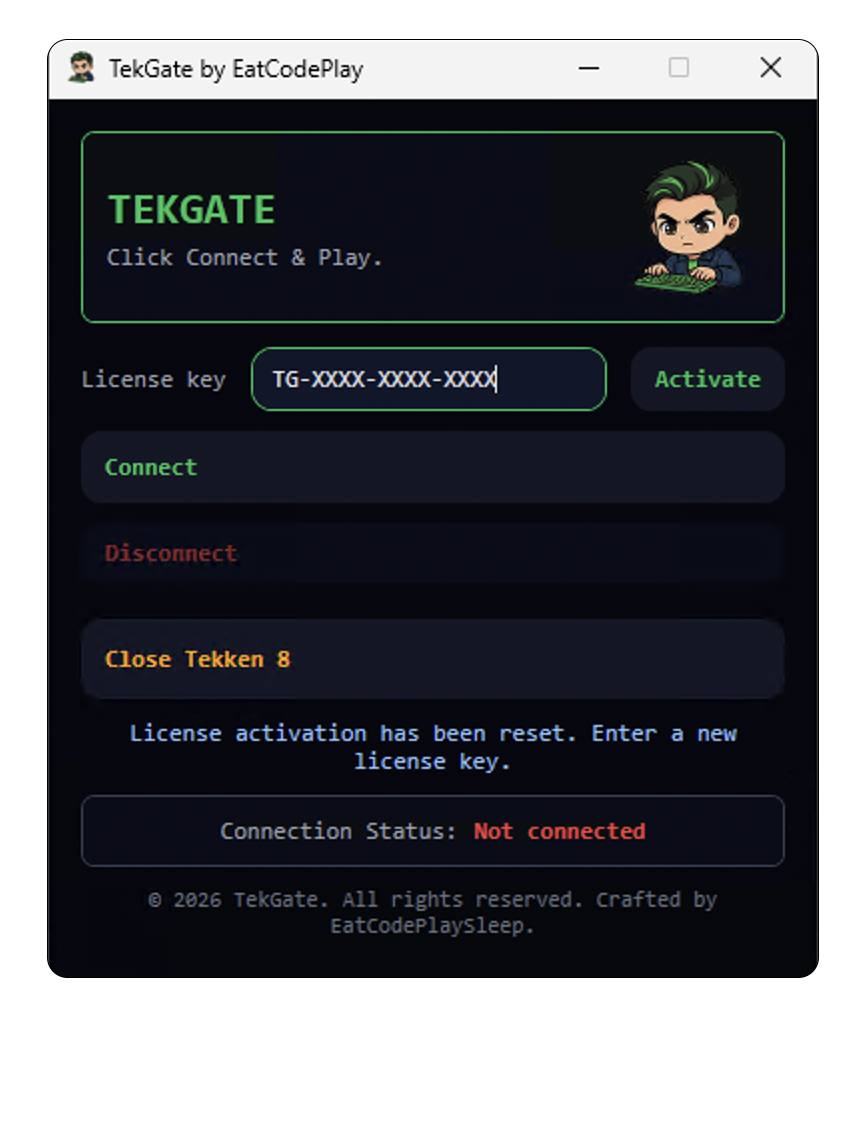
Enter your license key
Activate your license once. No manual configuration required.
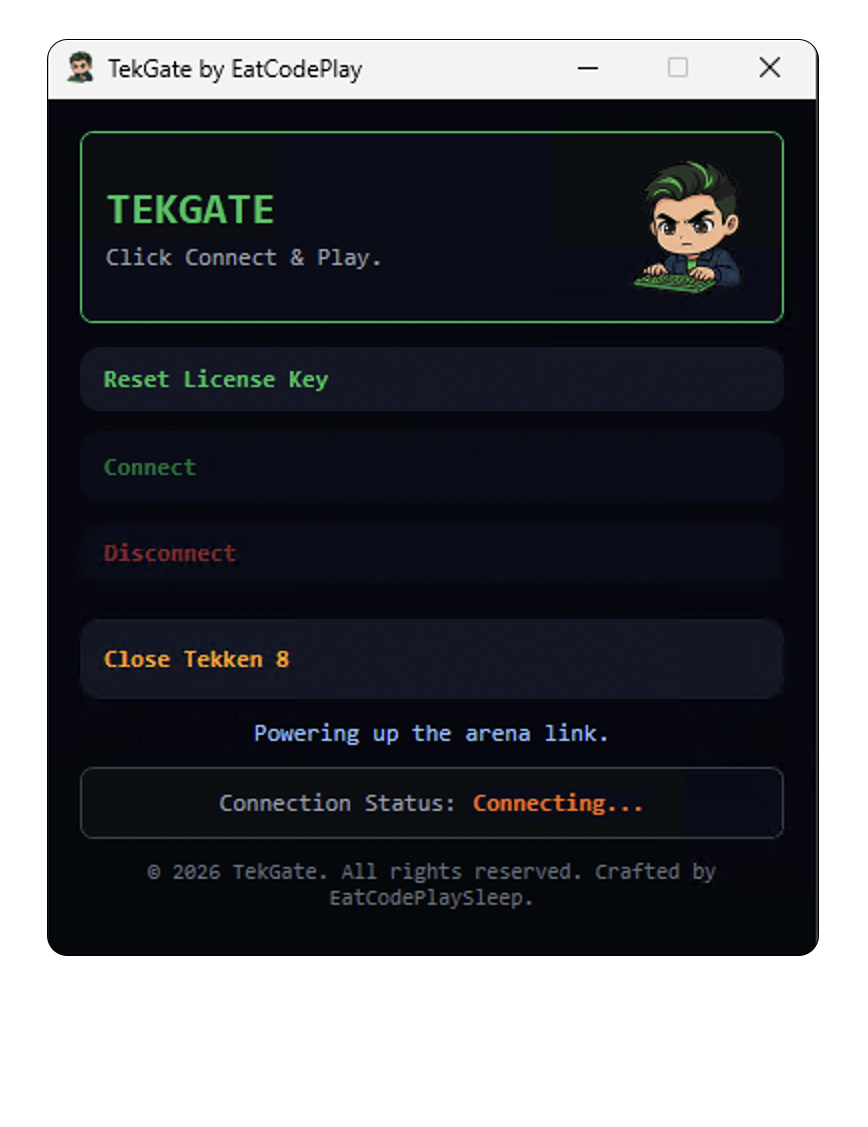
Click connect
TekGate handles the routing automatically in the background.
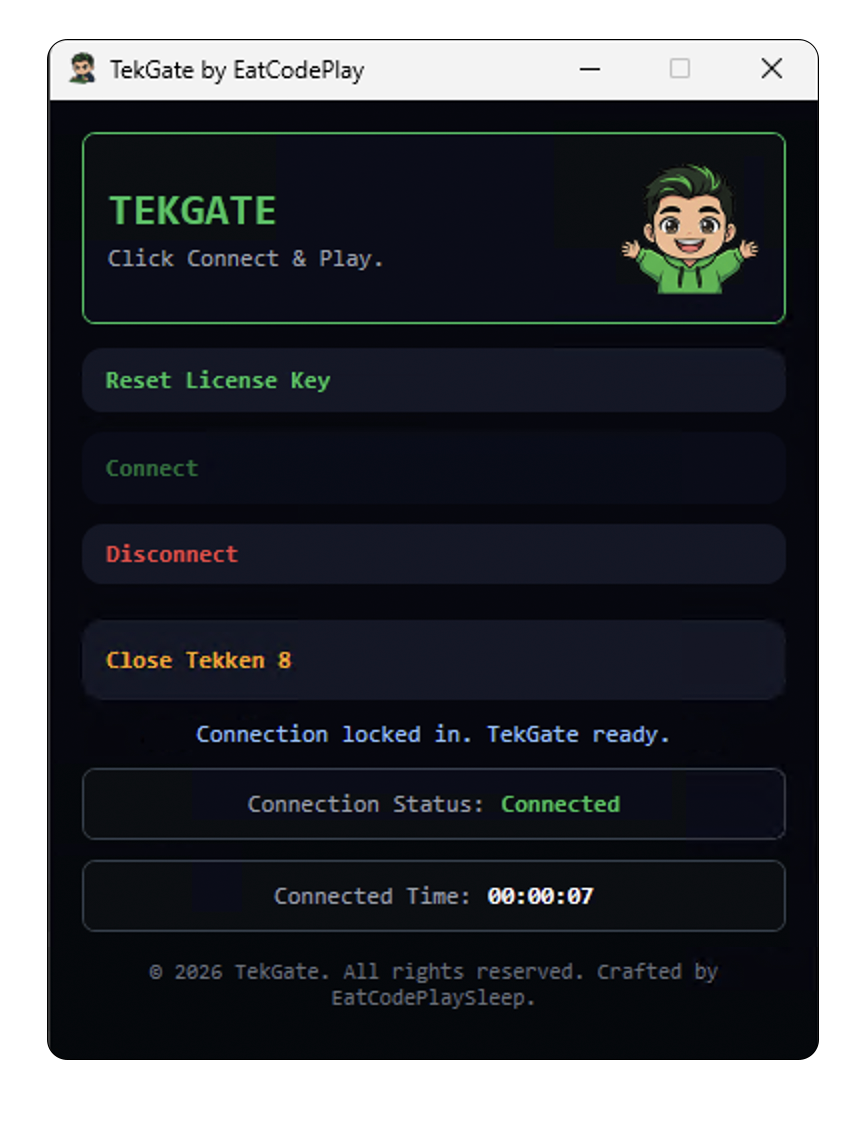
Connected. Play your match
Once connected, launch your game and start playing.
CHOOSE YOUR ACCESS
One simple monthly plan for one device. Built for smooth, stable Tekken sessions.
Want to test TekGate first? Create an account and activate your free trial before subscribing.
TekGate Solo Pass
One subscription. One device. Fast setup, optimized routing, and flexible payment options.
One monthly plan, available with PayPal payment.
SYSTEM INTEGRITY
FREQUENTLY ASKED
TekGate has been tested and optimized for Tekken 7/8. Other fighting games may work, but performance and stability are not guaranteed.
Yes. To move your license to a new device, go to devices and log in. This opens the TekGate gateway panel. From there, go to Devices and delete the current device. That will cancel the license on that device. After that, you can use the same license key on your new PC and activate it again.
No. TekGate only optimizes network routing. It doesn’t modify game files or provide any unfair advantage.
INSTALLATION GUIDE
Download from the link provided in your purchase email
Run installer as administrator
Copy-paste your license from the email
Click connect, then launch your game
Total installation time: < 3 minutes